
Few digital issues are as frustrating as being locked out of an online account, clicking “Forgot Password,” and then waiting endlessly for a password reset email that never arrives. Whether you are attempting to access your online banking, social media, work portal, or streaming subscription, a missing reset link stops your productivity in its tracks.
At Easy Login Hub, we provide clear, reliable advice to help users navigate access barriers across various online platforms. Our practical login guides are designed to make technical troubleshooting straightforward and stress-free.
Disclaimer: Easy Login Hub is an independent informational platform and is not affiliated with, endorsed by, or operated by any third-party companies, service providers, or platforms mentioned in our guides.
1. Check Your Spam, Junk, and Promotional Folders
The most common reason for a missing password reset email is aggressive spam filtering. Email providers like Gmail, Outlook, Yahoo, and Apple Mail use automated algorithms to categorize incoming messages. Often, automated verification links get misflagged as unsolicited bulk mail or promotional material.
- Check the Spam/Junk folder: Look for messages sent within the last 15 to 30 minutes.
- Inspect Secondary Tabs: In Gmail or webmail clients with tabbed inboxes, check the Promotions, Updates, or Social tabs.
- Mark as “Not Spam”: If you find the reset message in your spam folder, select it and mark it as safe. This ensures future security alerts deliver directly to your primary inbox.
2. Verify the Email Address You Entered
It is surprisingly easy to make a small typo when filling out a recovery request form. Common mistakes include misspelling the domain name (e.g., typing gmai.com instead of gmail.com) or leaving out a dot or number in your username.
Additionally, make sure you are checking the specific email inbox associated with that platform. Many people maintain multiple email addresses for personal, work, and secondary sign-ups. If you submitted a reset request using one email address but are monitoring another, you will not see the message.
If you suspect an error, return to the platform’s sign-in page and resubmit the request carefully. To troubleshoot common login problems effectively, always verify that your username and recovery email match the credentials on file.
3. Inspect Email Storage Capacity and Limits
If your email inbox has reached its maximum storage quota, your email provider will reject new incoming messages. When an inbox is full, incoming emails—including critical security and password reset communications—are returned to the sender as “bounced mail.”
How to resolve inbox storage issues:
- Delete older emails with heavy attachments to free up space immediately.
- Empty your Trash and Spam folders, as items in these folders often still count toward your total storage limit.
- Check your cloud storage allotment if your email service shares storage space with cloud drives (such as Google One or Microsoft OneDrive).
Once storage is cleared, trigger a new password reset request from the service’s access page.
4. Review Blocked Senders and Custom Filtering Rules
Over time, users set up custom mail filters, rules, or blocked sender lists to keep their inboxes organized. You may have inadvertently blocked automated messages from the service provider’s domain.
- Check your Blocked Addresses: Look in your email settings for any addresses containing domain names associated with the service (e.g.,
no-reply@service.comornotifications@service.com). - Review Inbox Rules: Ensure you do not have an active rule automatically routing messages with keywords like “Password,” “Reset,” or “Verification” directly to the Trash or Archive.
- Whitelist System Domains: Add official notification email addresses from the service to your email contacts to guarantee delivery.
5. Account for Mail Server Delays and Rate Limits
Password reset emails are usually generated instantly, but email deliverability is not always immediate. Network congestion, temporary server outages, or security checks on either the sender’s or recipient’s server can cause delays ranging from several minutes to hours.
Furthermore, rapidly clicking “Resend Email” multiple times can work against you. Many systems implement anti-abuse protections that apply temporary rate limits or invalidate previous reset tokens every time a new request is generated. If you click the link from an earlier email after generating a new one, the link will show as expired or invalid.
Recommended Strategy: Submit a single password reset request and wait at least 15 to 20 minutes before requesting another link.
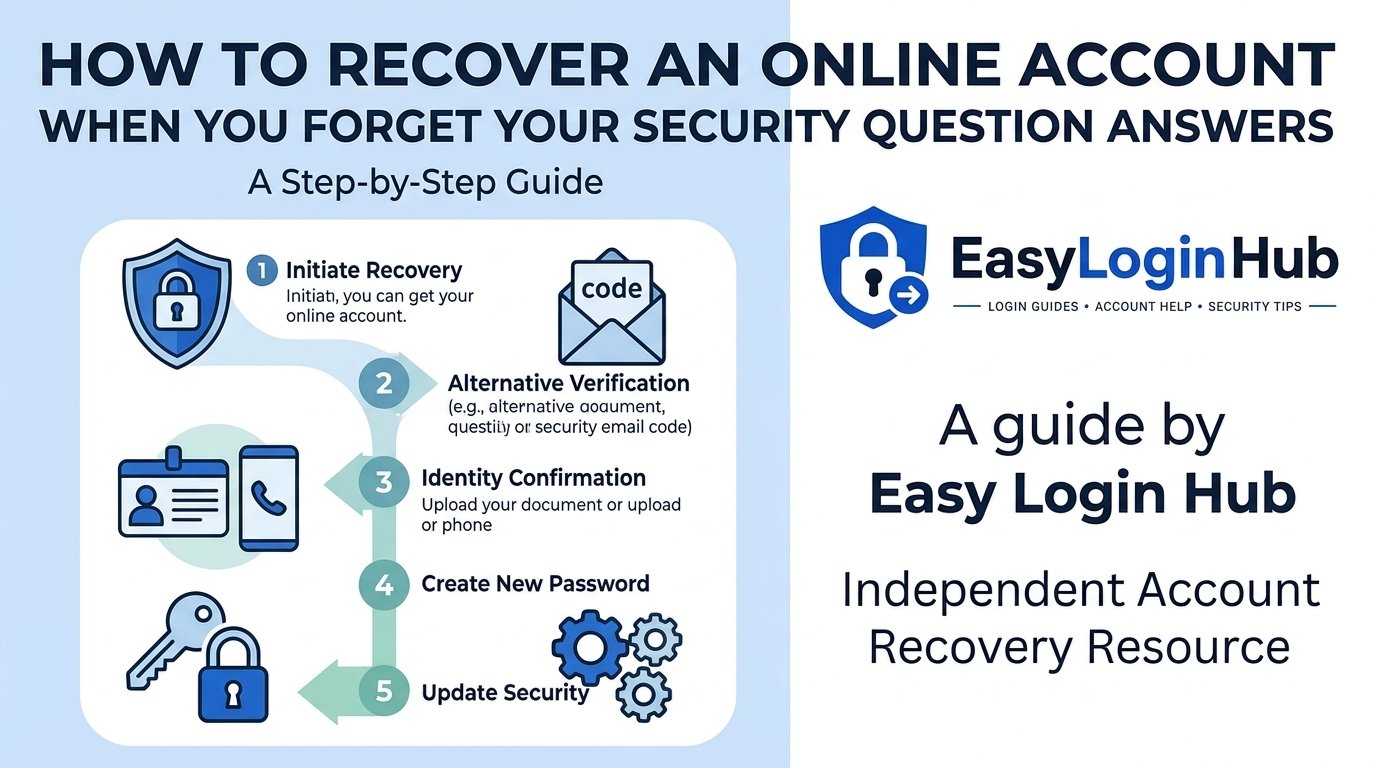
6. Explore Alternative Account Recovery Methods
If you continue to experience issues receiving reset emails, check whether the platform offers alternative identity verification methods. For detailed step-by-step assistance, reviewing our comprehensive Login Guide tutorials can help clarify your options.
Common alternative recovery features include:
- SMS or Phone Verification: Requesting a one-time passcode (OTP) delivered via text message to your registered mobile phone.
- Authenticator Apps: Entering a time-based security code from an app like Google Authenticator or Microsoft Authenticator.
- Backup Security Codes: Utilizing single-use recovery codes generated when you originally set up two-factor authentication (2FA).
- Security Questions: Answering pre-set security questions configured during account creation.
If these options are available, they often allow you to regain access without relying on email delivery.
7. Contact Official Customer Support Safely
When self-service troubleshooting options fail, your remaining option is to reach out directly to the platform’s official support team for specialized account recovery assistance.
When seeking direct support, always adhere to basic digital safety practices:
- Always navigate directly to the company’s official website or app to access support contact forms.
- Never search for third-party support phone numbers through unverified search engine ads, as these are often targets for deceptive scams.
- Be prepared to verify your identity using account history details, billing records, or government-issued identification, depending on the platform’s verification protocol.
- Remember that legitimate support teams will never ask you for your account password or full payment card numbers.
Best Practices for Preventing Future Login Issues
Once you regain access to your account, taking proactive steps can protect you from experiencing similar login barriers in the future:
- Keep Recovery Information Updated: Periodically review your profile settings to ensure your recovery email address and mobile phone number are current.
- Enable Two-Factor Authentication (2FA): Adding an extra layer of security not only protects your account but also provides alternative sign-in pathways.
- Use a Reliable Password Manager: Password managers securely store complex passwords and help prevent lockouts caused by forgotten credentials.
- Add Trusted Contacts: Where supported, configure secondary contact methods or trusted recovery accounts.
Frequently Asked Questions (FAQ)
How long should I wait for a password reset email before resending?
It is best to wait at least 15 to 20 minutes before attempting to request a new link. Server traffic or security filtering can cause brief delivery delays, and submitting multiple requests rapidly can invalidate the earlier links.
Why does my password reset link say it is expired or invalid?
Password reset links are typically designed to expire quickly (often within 15 minutes to 24 hours) for security reasons. A link will also become invalid if a newer reset request was triggered after the first one was sent.
Can I recover my account if I no longer have access to my registered email address?
Yes, but the process usually requires secondary verification methods such as SMS authentication, backup security codes, or submitting an identity verification form directly to the service provider’s official customer support team.
For more troubleshooting advice, security best practices, and walkthroughs, visit EasyLoginHub to explore our full library of independent guides.